Supporting Diverse Student Needs
Your class is full of diverse students with unique learning abilities, needs, and devices. Course content created with inclusion in mind can benefit not only your students with disclosed disabilities such as visual impairments and dyslexia, but improve the learning experience for all your students. UDOIT can help make your course more inclusive for all!
Alternative Formats
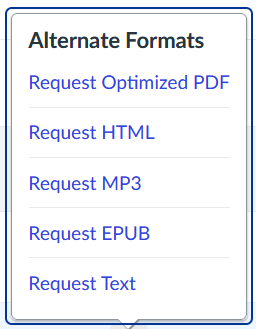
UDOIT automatically generates Alternative Formats of your course files and HTML content, and makes them available for download to you and your students. Formats are designed to work better with assistive technologies, mobile devices, and study tools.
To view alternative file formats, follow these steps:
- Select the
 icon or anywhere you see Alternative Formats in your course to open the modal
 - Based on the original file, you will see a list of available options
- Choose an option and click Download (your original file will not be affected by the alternative formats)
Accessibility Scores
Visit the UDOIT link in your course to view your dashboard to see your accessibility progress and identify accessibility concerns

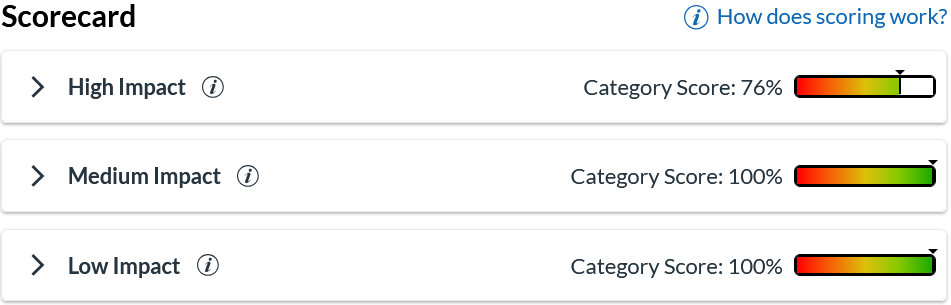
To identify and address possible accessibility issues, click on one of the three categories (High Impact, Medium Impact or Low Impact) to reveal the Canvas pages or files with concerns in that category that need to be remediated.